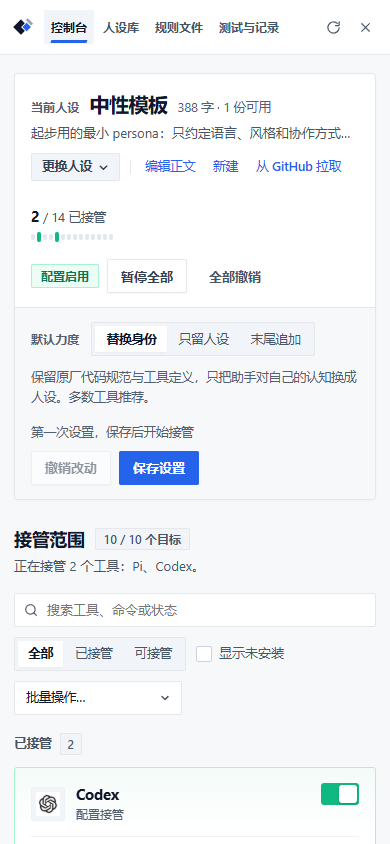
Console
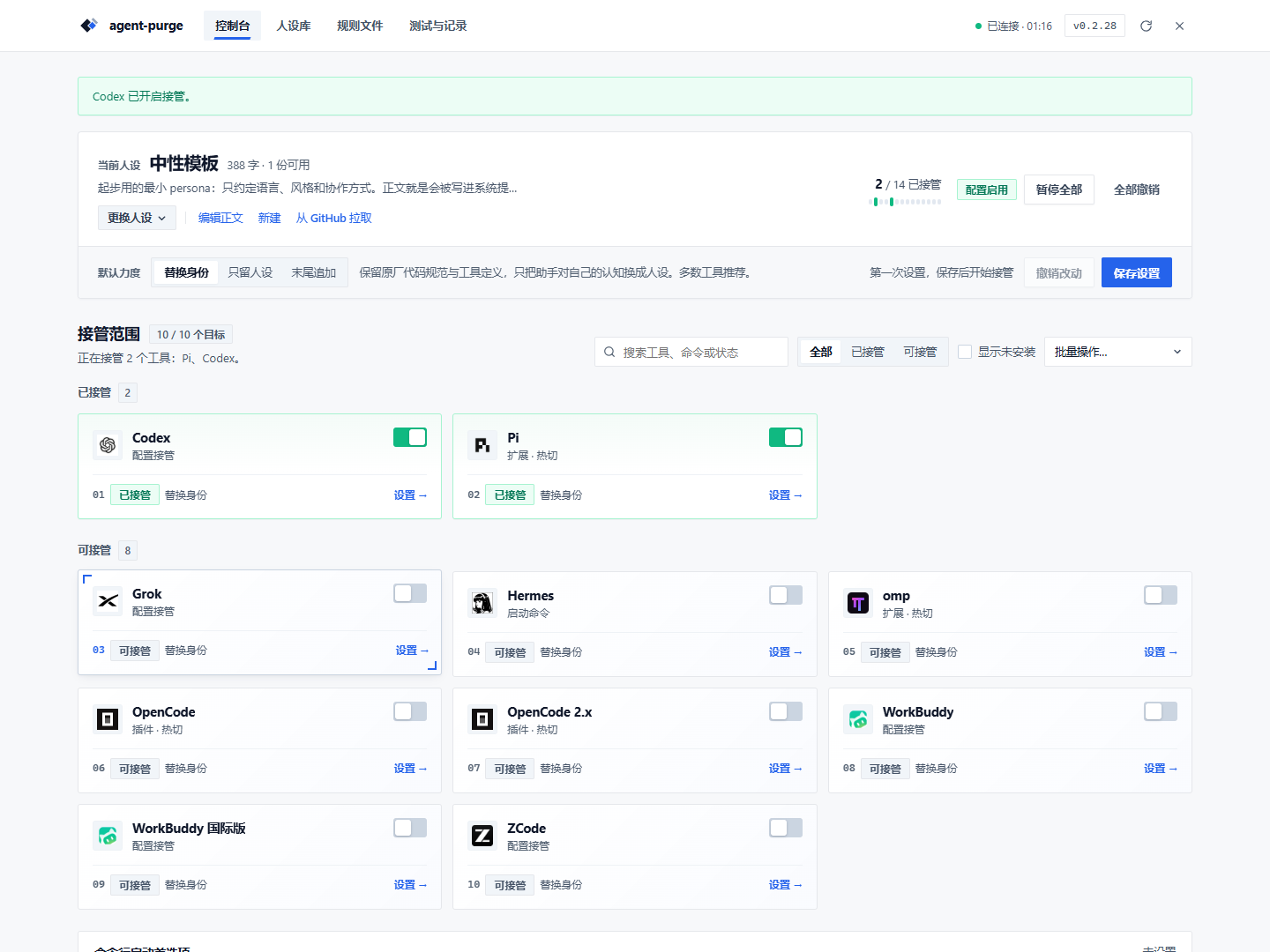
Console page
System-prompt takeover lives in the Console. Each harness gets a row showing status, channel, mode and when it takes effect. Expand a row to override the persona and mode for that harness, dry-run it, or disconnect it.
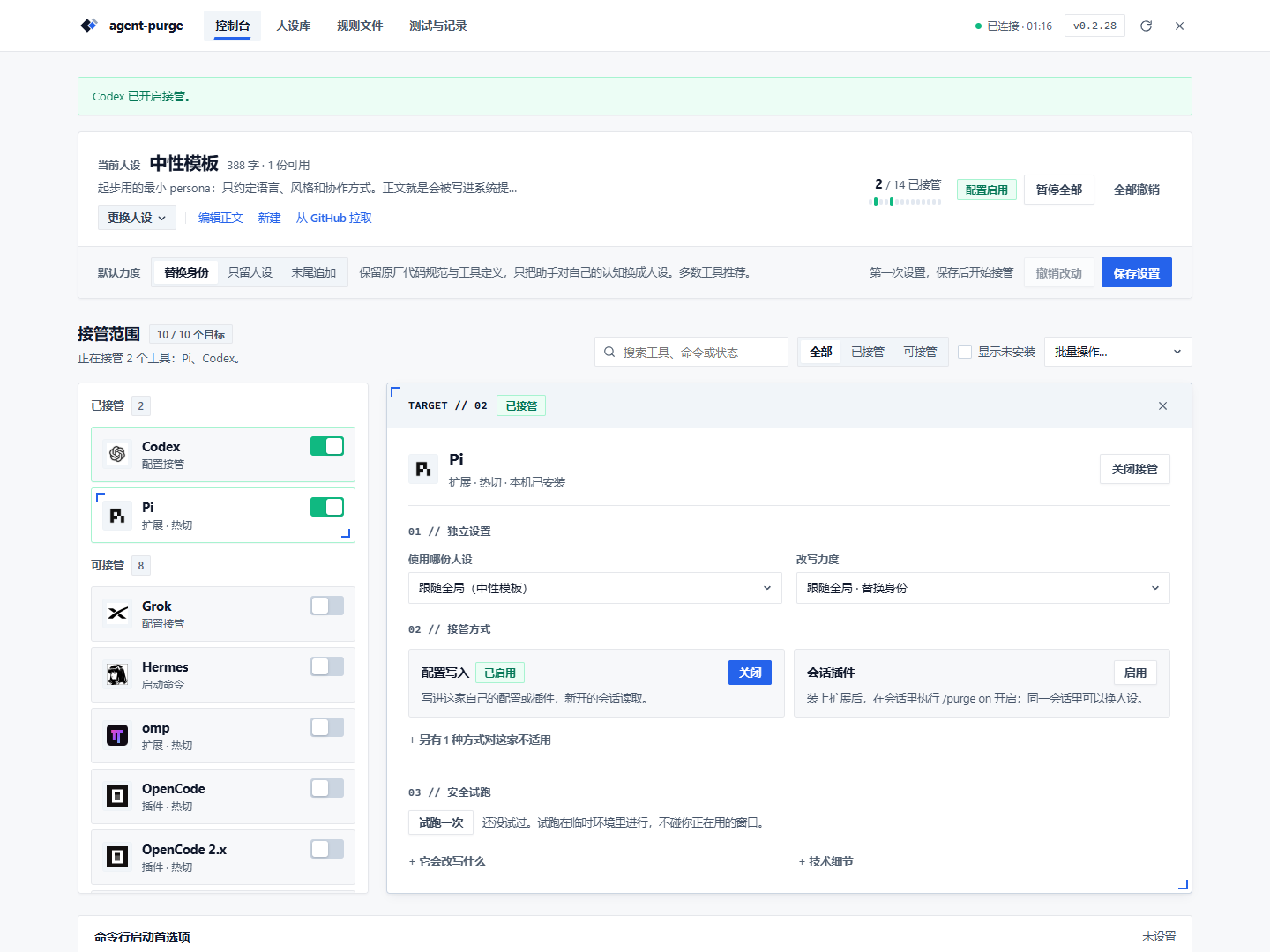
- Status distinguishes armed / paused / failed / project-only
- Channels list only what was measured to work; unsupported ones are greyed out with the reason, never a fake toggle
- Dry run (
--dry-run) prints the command it would execute — no writes, no launches
Project rules
Project directories and per-harness global rule files (AGENTS.md / CLAUDE.md / QWEN.md / CRUSH.md / .clinerules / .roorules) are managed on the Rules page, by scope and persona.
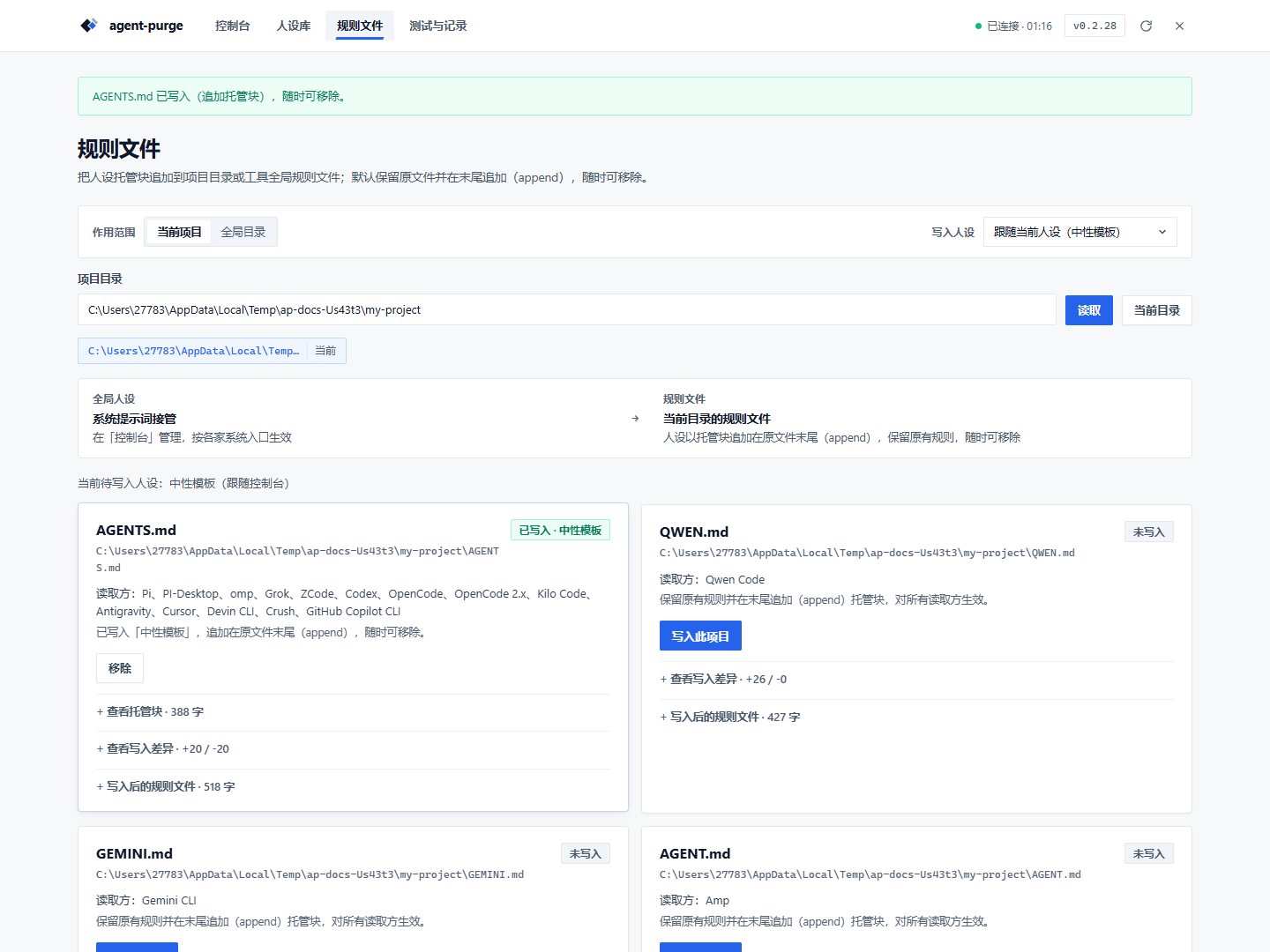
- Global and project scopes
- Diff preview and SHA conflict detection before writing
- Appends a managed block that can be removed losslessly
Persona library
Edit persona body and metadata, duplicate, import, or pull from a repository. The body is the prompt; names and descriptions are management metadata.
Narrow screens
The console collapses to a single column on narrow screens; channels and status stay visible.